Automotive · Barrett, Texas
Genesis Car Keys and Lockout in Barrett, Texas
Genesis key requests and lockout assistance focus on the exact vehicle and its digital security integration. Our Barrett team helps owners prepare for service by checking model-specific requirements for proximity fobs, digital features, and physical entry tools before any commitment.
Call (832) 843-9020 · Request service
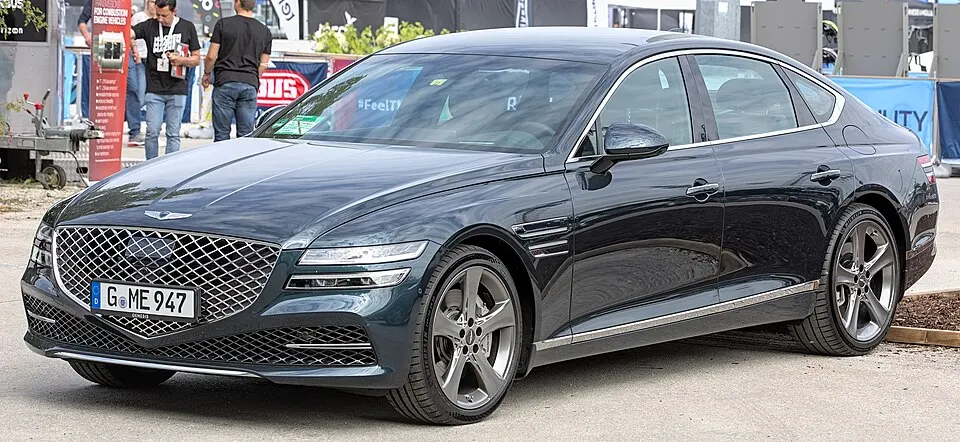
Genesis G80 shown as an example; service options depend on the model year and key system. Photo: Alexander Migl · CC BY-SA 4.0 · Resized and converted to WebP

Genesis models: current and discontinued
- Electrified GV70
- GV60
- GV80
- G70
- GV80 Coupe
- G80
- GV70
- Electrified G80
- G90
Professional entry for Genesis lockouts
Locked out of your Genesis? Please confirm if the fob is inside the cabin and whether you have attempted to use any digital app-based features. It is important to note that a mobile app and a physical fob are separate access channels. We assess the entry points for your specific Genesis generation, prioritizing care for the door trim and seals. Do not send sensitive account credentials or passwords when you request our professional assistance.
Genesis replacement keys and programming
Genesis vehicles often utilize advanced proximity technology that cannot be replaced with generic parts. We evaluate your model’s requirements to ensure any new remote is compatible with your vehicle’s starting system. Whether you need an emergency mechanical blade or a complete smart fob replacement, we define the scope of work clearly. We verify the programming process to ensure that your replacement device operates as expected for entry and engine ignition.
Planning your Genesis service visit
To provide the best service, please keep your working fobs available for our visit. If you have noticed intermittent fob detection or system errors, report these symptoms early. We also advise confirming your parking location and any site-specific access instructions beforehand. By understanding your vehicle’s history and current behavior, we ensure that the proposed service addresses your needs while respecting the advanced engineering of your Genesis car.
What to prepare
- Have your vehicle's model year and trim level details.
- Gather all existing working proximity fobs for programming.
- Confirm if you have encountered any system-detected key errors.
Frequently asked questions
Can you recover my Genesis digital account access?
No. We handle physical locksmithing, such as key cutting and fob programming. For account-based digital features or mobile app configuration, please use the official manufacturer channels and support services.
Is a generic online fob compatible with my Genesis?
Genesis security systems require precision-matched electronics. We recommend using verified, compatible components. We check the exact specifications of your vehicle before beginning work to ensure that any replacement device will actually function with your system.
Contact us
Monday–Saturday, 8am–10pm
Contact our team for service in Barrett; no separate local office is listed. Call to confirm availability and the proposed work.
Call (832) 843-9020 · Request service