Automotive · Baytown, Texas
Genesis Car Keys and Lockout in Baytown, Texas
Genesis key requests involve precise proximity and digital system assessments. Our Baytown team discusses your lockout needs, checks physical-key compatibility, and ensures you have a clear understanding of the supported options before we begin any work on your vehicle.
Call (832) 843-9020 · Request service
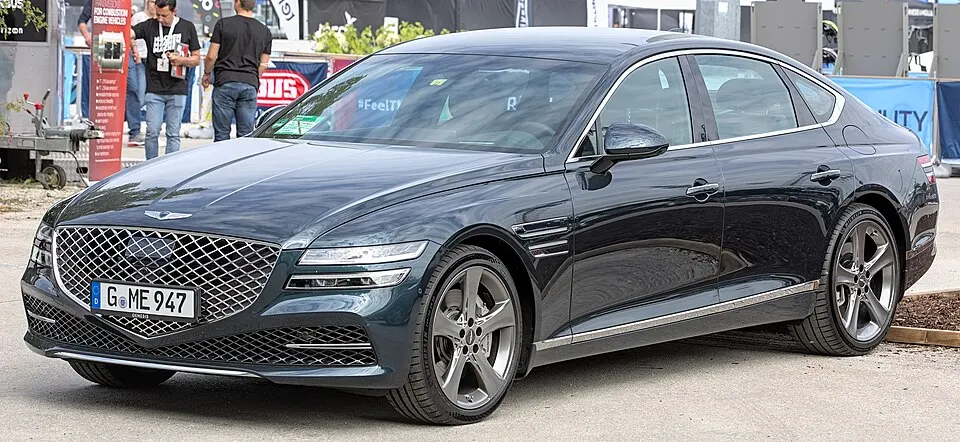
Genesis G80 shown as an example; service options depend on the model year and key system. Photo: Alexander Migl · CC BY-SA 4.0 · Resized and converted to WebP

Genesis models: current and discontinued
- GV60
- GV80
- Electrified G80
- Electrified GV70
- G70
- GV80 Coupe
- GV70
- G90
- G80
Handling Genesis vehicle lockouts
If you are locked out of your Genesis, identify the location of the fob and whether you have an emergency mechanical blade available. While some Genesis models offer digital features, verify whether these were successfully configured before the lockout. Please do not provide account passwords or sensitive digital credentials to us; focus on the physical lockout situation. We evaluate your access needs while protecting your vehicle’s sensitive trims and surrounding components.
Replacement Genesis keys and system integration
Genesis smart keys are highly specific to each vehicle’s security generation. An online fob that looks identical to your original may not be compatible without a check of the precise year and equipment. We discuss the goal of your service—whether you need simple door entry, remote button functionality, or full engine starting capabilities. An emergency blade alone does not provide full system functionality, so we confirm the complete scope of your key replacement.
Planning the right Genesis key service
Always confirm service availability for your specific model, as some Genesis components require specific programming steps. If you are requesting a spare key, keep all functional fobs present during our visit. We walk you through what the new key will cover, how many units are included, and how we will test the remote and starting functions. Providing clear information allows us to assess the work accurately and avoids making unsupported assumptions about manufacturer-managed digital tools.
What to prepare
- Provide the vehicle registration and exact model information.
- Keep all physical fobs present for compatibility testing.
- Verify that your vehicle is parked in a clear, accessible space.
Frequently asked questions
Can you program a Genesis fob if I have no working keys?
Yes, we can work with all-keys-lost situations, but this requires specific programming and proof of ownership. We verify your vehicle's security system to ensure we can provide the appropriate service.
What if my Genesis uses a digital key app?
Digital key apps are manufacturer-managed. We specialize in physical proximity fobs and emergency blades, so we focus on those components while ensuring they integrate correctly with your vehicle’s core security.
Contact us
Monday–Saturday, 8am–10pm
Contact our team for service in Baytown; no separate local office is listed. Call to confirm availability and the proposed work.
Call (832) 843-9020 · Request service