Automotive · Grapevine, Texas
Genesis Car Keys and Lockout in Grapevine, Texas
Genesis key and lockout services depend on precise information about your smart-key system and digital features. Our Grapevine team helps owners assess their needs, clarify their physical key requirements, and confirm the best path forward before any service is initiated.
Call (832) 843-9020 · Request service
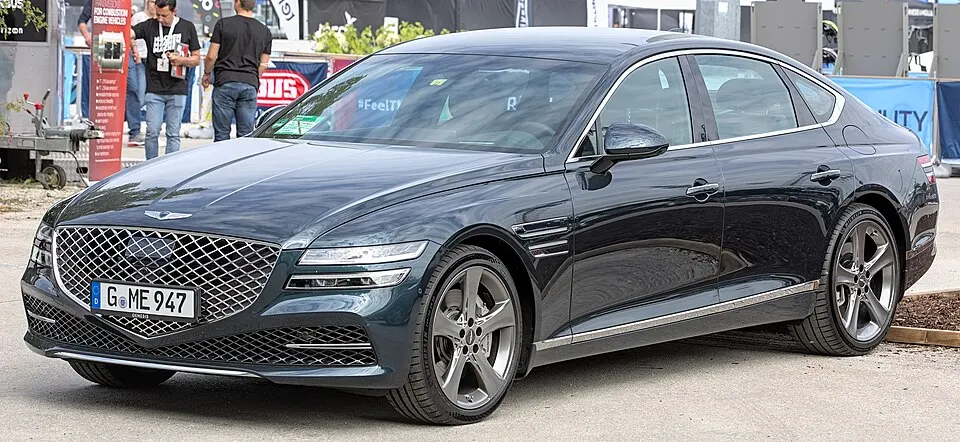
Genesis G80 shown as an example; service options depend on the model year and key system. Photo: Alexander Migl · CC BY-SA 4.0 · Resized and converted to WebP

Genesis models: current and discontinued
- GV60
- Electrified G80
- Electrified GV70
- GV80 Coupe
- GV70
- G70
- G90
- GV80
- G80
Navigating Genesis lockout situations
When a Genesis fob is locked inside the vehicle, specify which compartment it is in and if you have another authorized key available. If you use a mobile app or digital entry feature, mention whether it was fully configured and active before the lockout. We assist with physical access, but do not provide support for manufacturer account credentials or remote app resets, which are managed directly by your specific vehicle manufacturer.
Replacement keys and programming
Genesis vehicles rely on specific proximity components and secure electronic authorization. Do not assume that a generic remote or a key from another brand will work with your vehicle; exact compatibility depends on the year and installed equipment. Clearly define if you need a new emergency blade for door entry, a programmed smart fob for starting, or both. Understanding these distinctions ensures that the components we provide truly meet your daily operational requirements.
Planning your Genesis key service
Please confirm our service availability before expecting a same-visit resolution for Genesis key work. Due to the high-security nature of these systems, we carefully check the required components and programming steps first. If you are requesting a spare, keep your existing fobs available so we can test the vehicle's current response. Being transparent about any aftermarket alarm or electrical additions helps us plan an estimate that covers the entire system correctly.
What to prepare
- Confirm your vehicle year and current fob functionality.
- Keep all existing smart fobs available for programming.
- Verify your ownership and identification for security.
Frequently asked questions
Does my digital key count as a spare?
A digital key feature is separate from physical smart fobs. If your vehicle uses an app, that is an account-managed feature, whereas a spare physical key is a separate component requiring our specialized programming services.
How do I start my Genesis if the fob battery dies?
Most models have an emergency starting procedure, often involving placing the fob directly against the start button. Consult your owner's manual for these steps while we arrange to replace or repair your primary fob.
Contact us
Monday–Saturday, 8am–10pm
Contact our team for service in Grapevine; no separate local office is listed. Call to confirm availability and the proposed work.
Call (832) 843-9020 · Request service