Automotive · Huffman, Texas
Genesis Car Keys and Lockout in Huffman, Texas
Genesis key and lockout requests demand an understanding of advanced smart-fob and digital-access systems. Our Huffman team is prepared to discuss your specific vehicle's needs, verifying available options for entry or key replacement before committing to any service route.
Call (832) 843-9020 · Request service
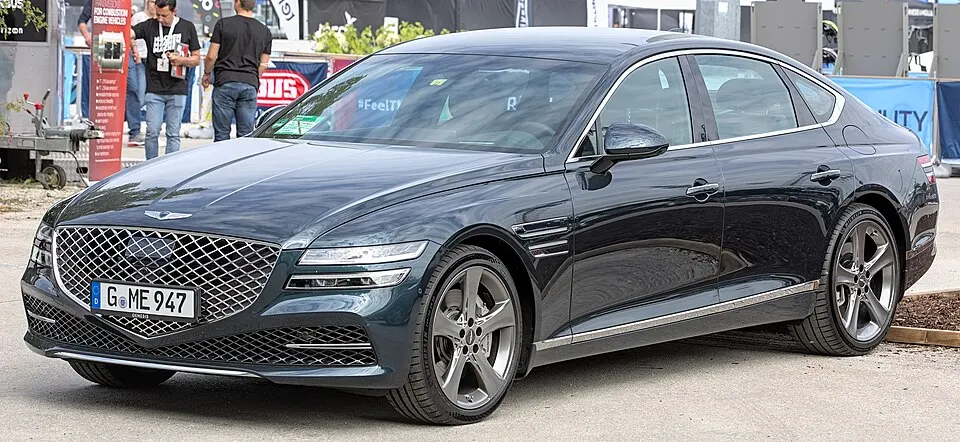
Genesis G80 shown as an example; service options depend on the model year and key system. Photo: Alexander Migl · CC BY-SA 4.0 · Resized and converted to WebP

Genesis models: current and discontinued
- G80
- Electrified G80
- G70
- GV60
- GV70
- GV80 Coupe
- GV80
- G90
- Electrified GV70
Assisting with Genesis vehicle lockouts
If your Genesis fob is locked inside the car, identify which compartment contains it and inform us if you have another authorized key available. If you normally use a phone app for access, note whether that feature was configured and active before the lockout. Please avoid sharing account passwords or one-time codes; instead, focus on providing physical details so we can assess the best, safest entry method for your specific vehicle.
Replacement keys and digital authorization
Genesis vehicles often require model-specific proximity components that cannot be substituted with generic remotes. When you request a replacement, clarify whether you need mechanical entry, remote-button functionality, or engine-start capability. Remember that an emergency blade serves a limited purpose compared to a full smart-fob replacement. Digital credentials managed by the manufacturer remain a separate topic, so focus on the physical equipment you need our team to provide and test.
Planning your Genesis service visit
Due to the specialized nature of Genesis key systems, please confirm service availability before assuming a same-day visit. Keep your working fobs handy and mention any aftermarket accessories that might affect the vehicle's electronics. We will clearly outline what our service includes, such as programming and testing, and identify which advanced digital functions fall outside the scope of our physical locksmith work, ensuring you understand exactly what to expect.
What to prepare
- Keep all physical smart fobs ready.
- Provide your exact Genesis model and year.
- Verify your authorization to service the vehicle.
Frequently asked questions
Can you program all Genesis smart fobs?
We have extensive capabilities for most Genesis models, but we verify your specific vehicle's system requirements first. This ensures our diagnostic tools are fully compatible with your car's security and engine-start configurations for reliable performance.
What is the emergency blade for?
The emergency blade is a mechanical backup designed to unlock your doors if your fob's battery dies. It is an essential component, and we ensure it is cut correctly during any fob replacement service we provide.
Contact us
Monday–Saturday, 8am–10pm
Contact our team for service in Huffman; no separate local office is listed. Call to confirm availability and the proposed work.
Call (832) 843-9020 · Request service