Automotive · Johnstown, Ohio
Genesis Car Keys and Lockout in Johnstown, Ohio
Genesis vehicles often feature advanced smart-key systems that require specific professional attention. We help owners identify the correct lockout or key replacement options by discussing your vehicle's generation and equipment before any work begins.
Call (380) 312-4655 · Request service
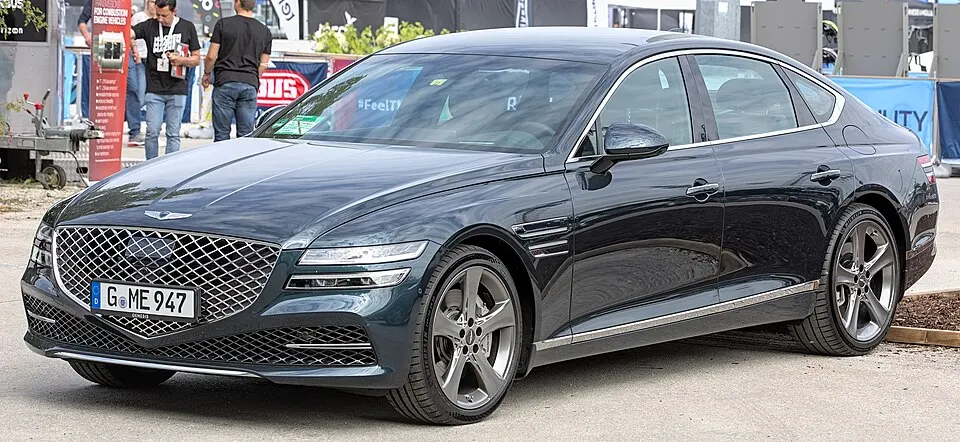
Genesis G80 shown as an example; service options depend on the model year and key system. Photo: Alexander Migl · CC BY-SA 4.0 · Resized and converted to WebP

Genesis models: current and discontinued
- GV60
- G70
- GV80 Coupe
- GV80
- Electrified GV70
- GV70
- G90
- Electrified G80
- G80
Assessing Genesis vehicle lockouts
When locked out of a Genesis, please identify which compartment contains the fob and whether any other authorized key is available. If you use a mobile app for access, confirm if that feature was active prior to the lockout. We avoid risky entry methods and do not require your account passwords. We focus on assessing the physical vehicle to determine how to gain access safely while preserving your vehicle's sensitive trim and locking components.
Clarifying key replacement and digital credentials
Genesis smart keys are highly specific to the vehicle's year and security configuration. Do not assume that similar-looking fobs from other brands are compatible. We discuss what you expect from the replacement—such as remote button functionality versus simple mechanical entry. Digital key credentials are managed through manufacturer-specific channels, so we focus on providing a reliable physical solution that meets your immediate need for a functional, paired smart key and emergency blade.
Planning your Genesis key visit
Availability for a Genesis key service should be confirmed in advance due to the specialized nature of the components. If you are requesting a spare, keep your existing fobs available so we can verify the system's current programming. We review the scope with you, ensuring that you understand what will be tested—from door access to the proximity starting function—so that the final result meets your requirements for a reliable, fully operational set of keys.
What to prepare
- Provide documentation proving vehicle ownership.
- Have all current working fobs present at the location.
- Confirm if your vehicle has any specialized modifications.
Frequently asked questions
Can I program a Genesis key using a generic app?
No. Genesis security requires specialized equipment to interface with the vehicle's computer. We use professional tools to pair the key correctly, ensuring the vehicle recognizes the fob for both entry and starting.
Is the emergency blade included with a new fob?
Yes, we provide and cut the emergency physical blade as part of the smart-fob replacement. This ensures you have a backup for mechanical entry should the vehicle's electronic systems be unavailable.
Contact us
Monday–Saturday, 8am–10pm
Contact our team for service in Johnstown; no separate local office is listed. Call to confirm availability and the proposed work.
Call (380) 312-4655 · Request service