Automotive · Lancaster, Ohio
Genesis Car Keys and Lockout in Lancaster, Ohio
Genesis lockout and key-replacement requests require focus on your specific smart-fob generation and digital access configuration. Our team helps you define your needs, from physical entry to remote-programming requirements, ensuring every solution is compatible with your vehicle's security and manufacturer standards.
Call (380) 312-4655 · Request service
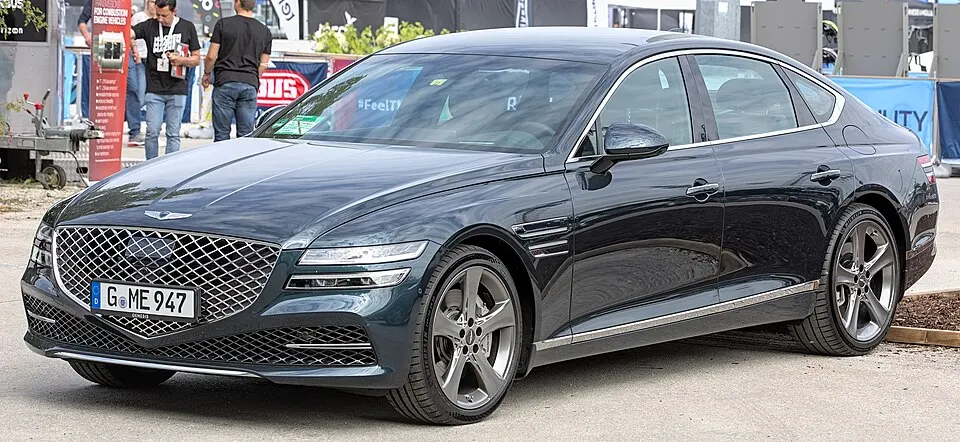
Genesis G80 shown as an example; service options depend on the model year and key system. Photo: Alexander Migl · CC BY-SA 4.0 · Resized and converted to WebP

Genesis models: current and discontinued
- G90
- Electrified G80
- GV60
- GV70
- GV80 Coupe
- G70
- GV80
- G80
- Electrified GV70
Genesis vehicle lockouts
Locked out of a Genesis? Clarify where the fob is located and whether another key is available. If you utilize phone-based entry features, distinguish if that app was pre-configured, as a locksmith’s capabilities are separate from manufacturer account access. Do not share one-time digital codes or passwords. Focus on providing clear physical location details for your vehicle so we can assess the best approach to gain entry without damaging delicate trim or sensitive onboard electronic security systems.
Replacement Genesis keys and programming
Genesis vehicles often require proximity components tailored to specific equipment levels. Avoid using generic fobs found online, as these may not be compatible with your vehicle's unique security handshake. Define your expectations for the replacement: do you need mechanical entry, remote button functionality, or full engine-starting capability? We confirm these requirements alongside your vehicle's production year to ensure the new fob is correctly paired to your system, and we discuss which convenience features may require manufacturer-specific attention.
Plan the right Genesis key service
Always confirm availability before treating your key request as a routine visit, given the complexity of Genesis security. When inquiring about a spare key, bring all working physical fobs to the appointment to allow for comprehensive testing. Disclose any aftermarket electronics that might interfere with the fob's signal or the vehicle’s starting process. Clarify the scope of the estimate, specifically noting which functions are being restored and which, if any, fall under manufacturer-managed digital services.
What to prepare
- Have proof of ownership ready for verification.
- List any recent aftermarket equipment installed on the vehicle.
- Gather all remaining smart fobs to facilitate the programming visit.
Frequently asked questions
Can I use a smartphone as a backup key?
Your Genesis may have digital key features, but these are managed through your manufacturer account. We provide physical key services and can assess your hardware, but we cannot configure or recover your manufacturer-managed digital account credentials.
Why is my fob not starting the Genesis?
This can result from a low fob battery, a synchronization issue with the vehicle's computer, or a malfunction in the ignition receiver. We test the fob's signal and evaluate whether reprogramming or hardware replacement is the correct path.
Contact us
Monday–Saturday, 8am–10pm
Contact our team for service in Lancaster; no separate local office is listed. Call to confirm availability and the proposed work.
Call (380) 312-4655 · Request service