Automotive · Louetta, Texas
Genesis Car Keys and Lockout in Louetta, Texas
Genesis key and lockout services require careful consideration of smart fobs and digital security features. Our Louetta team discusses your specific access needs and checks for supported physical key options, ensuring you receive professional support tailored to your luxury Genesis vehicle model.
Call (832) 843-9020 · Request service
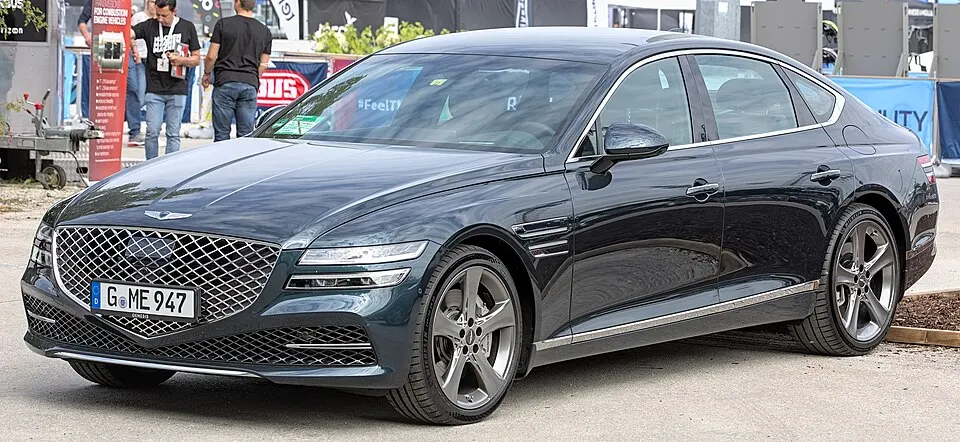
Genesis G80 shown as an example; service options depend on the model year and key system. Photo: Alexander Migl · CC BY-SA 4.0 · Resized and converted to WebP

Genesis models: current and discontinued
- Electrified G80
- GV60
- Electrified GV70
- GV70
- GV80 Coupe
- G70
- G80
- G90
- GV80
Genesis vehicle lockout assistance
If your Genesis fob is trapped inside a locked vehicle, identify the specific compartment and let us know if you have access to any other authorized keys or emergency blades. If you depend on a manufacturer's phone app for entry, confirm if that feature was active prior to the lockout. Please remember that we cannot manage manufacturer account passwords or digital credentials, so we focus exclusively on physical entry methods for your locked Genesis.
Replacement keys and electronic programming
Genesis vehicles rely on high-tech proximity components that must be strictly matched to the car's model year and security generation. Avoid assuming that remotes from related makes or generic online listings will function correctly; these parts often lack the necessary Genesis-specific programming. We verify the specific hardware your car requires to perform mechanical entry, button-based remote functions, and engine start authorization, providing you with a complete, tested solution rather than just a housing or blade.
Planning your Genesis service visit
Before we arrive, confirm your availability and the status of any remaining functional fobs, as these are essential for programming. If your Genesis has aftermarket electronic modifications, disclose this early, as these can interfere with standard key programming protocols. We discuss the scope of work—including what will be tested and what falls outside our coverage—so you know exactly how the new components will function alongside your vehicle's existing factory-installed security systems.
What to prepare
- Specify the exact Genesis model year and security generation.
- Confirm whether you have any remaining functional smart fobs.
- Check if you have the emergency blade available for access.
Frequently asked questions
Why is my Genesis not recognizing my new fob?
This usually indicates that the fob's internal programming is not synchronized with your vehicle's specific immobilizer. We check the hardware compatibility and perform a professional programming sequence to ensure your vehicle recognizes the fob securely and reliably.
Can you provide a digital key for my Genesis?
We manage physical keys, proximity fobs, and emergency blades. Manufacturer-specific digital keys, such as those stored on phones, are managed through the Genesis owner's account; we do not have access to these proprietary manufacturer systems or credentials.
Contact us
Monday–Saturday, 8am–10pm
Contact our team for service in Louetta; no separate local office is listed. Call to confirm availability and the proposed work.
Call (832) 843-9020 · Request service