Automotive · Piney Point Village, Texas
Genesis Car Keys and Lockout in Piney Point Village, Texas
Genesis key services require precise vehicle data, particularly where smart fobs and digital features are concerned. Our Piney Point Village team can discuss your specific lockout needs and check supported physical-key options before you commit to any service route.
Call (832) 843-9020 · Request service
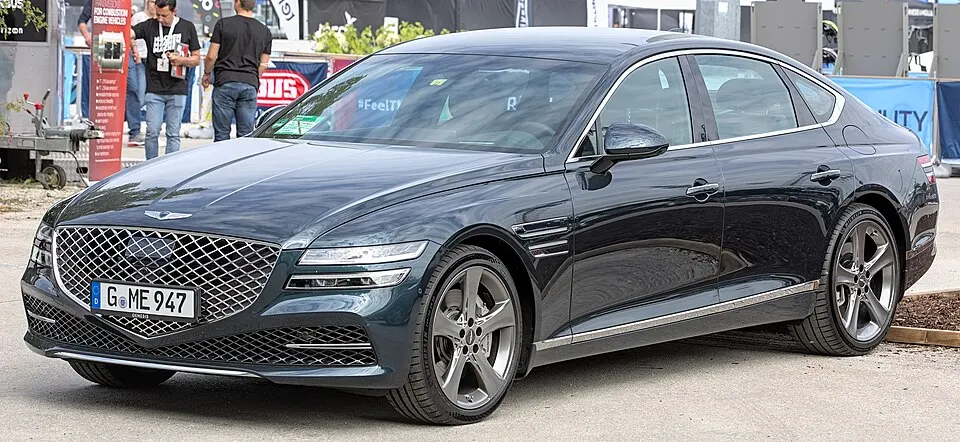
Genesis G80 shown as an example; service options depend on the model year and key system. Photo: Alexander Migl · CC BY-SA 4.0 · Resized and converted to WebP

Genesis models: current and discontinued
- Electrified GV70
- GV60
- G90
- G70
- GV80
- G80
- GV80 Coupe
- GV70
- Electrified G80
Genesis vehicle lockout assistance
If your Genesis fob is trapped inside your locked vehicle, identify the specific compartment and confirm if you have a second authorized key. If you rely on digital manufacturer phone features, please note that these are often managed through your own account, and a locksmith cannot reset your manufacturer login. We focus on physical entry methods and request that you do not share sensitive account passwords when discussing your lockout situation.
Replacement keys and electronic security
Genesis vehicles rely on highly specific proximity components that must be matched to your exact vehicle identification. Do not assume that a related manufacturer's fob or a generic online part will be compatible with your car's unique security system. We clarify whether your request is for manual door entry, remote button operation, or engine starting. Each function may require distinct programming steps to ensure the new fob works reliably with your Genesis.
Planning your Genesis key service
Availability for Genesis-specific parts should be confirmed prior to any visit. Please keep all physical fobs available for the technician to inspect. If your vehicle has any aftermarket equipment installed, disclose this, as it may affect how your system is tested. We prioritize transparency, confirming which functions fall under the agreed service scope and whether a manufacturer-authorized route is necessary for your particular vehicle's security configuration or digital feature needs.
What to prepare
- Confirm your exact Genesis model and equipment level.
- Gather all physical fobs for the technician to inspect.
- Check manufacturer digital options separately for account issues.
Frequently asked questions
Can I program my Genesis fob using a generic device?
Genesis security systems are highly specialized and typically require professional-grade tools for proper syncing. Using generic devices can lead to system errors; we ensure proper calibration for your vehicle's specific digital security protocols.
Is the emergency blade part of the fob replacement?
Yes, we ensure the emergency blade is included and correctly cut to your Genesis. This provides a vital manual entry method if your smart system is unavailable for any reason.
Contact us
Monday–Saturday, 8am–10pm
Contact our team for service in Piney Point Village; no separate local office is listed. Call to confirm availability and the proposed work.
Call (832) 843-9020 · Request service