Automotive · Thonotosassa, Florida
Genesis Car Keys and Lockout in Thonotosassa, Florida
Genesis vehicle owners often use advanced smart keys and digital features. Our service guidance helps you navigate lockouts and key requests by focusing on your specific proximity system and physical key needs, without assuming access to manufacturer-managed digital account services.
Call (813) 279-2727 · Request service
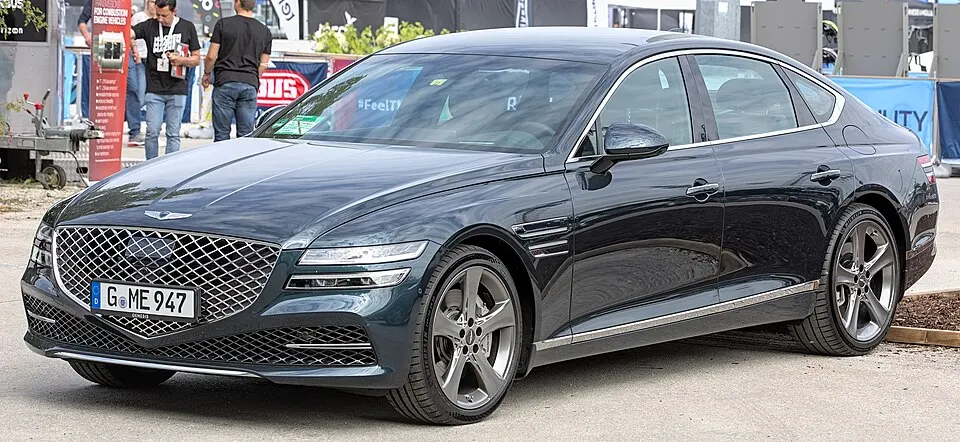
Genesis G80 shown as an example; service options depend on the model year and key system. Photo: Alexander Migl · CC BY-SA 4.0 · Resized and converted to WebP

Genesis models: current and discontinued
- Electrified G80
- G90
- GV80 Coupe
- G70
- GV60
- G80
- GV70
- Electrified GV70
- GV80
Managing a Genesis vehicle lockout
If your Genesis fob is locked inside, please describe which vehicle compartment holds it and whether you have another spare. If you rely on manufacturer-based mobile apps for access, remember that locksmiths cannot recover those digital account credentials. Focus on providing the physical details of the lockout—such as whether an emergency mechanical blade is available—so we can evaluate the safest way to gain entry without relying on services that are outside our scope.
Genesis replacement key and component compatibility
Genesis vehicles require model-specific components for proximity entry and starting. We check your precise vehicle year and equipment level to ensure that any replacement fob is compatible. An emergency blade is not the same as a full smart key; be clear about whether you need mechanical access, remote button functionality, or the ability to start the engine, so we can provide a replacement that covers all your necessary vehicle operations.
Planning your Genesis service visit
Before we arrive, verify your parking location and any gate or garage access requirements. If you are requesting a spare, keep your working fobs available so we can check them during our visit. Ask us to clarify the scope of work, including testing the proximity sensors and remote-start features. By focusing on these practical, physical requirements, we can assess your situation and provide service that matches your Genesis vehicle's high-tech configuration.
What to prepare
- Keep your physical fobs available for the technician.
- Confirm your vehicle's model year and trim details.
- Prepare your garage or gate access information.
Frequently asked questions
Can you help if my Genesis mobile app is locked?
We cannot assist with manufacturer-managed digital account issues or passwords. Please contact the manufacturer for account support. We can, however, assist you with physical entry and key replacement if you are locked out of your vehicle.
Why is the vehicle trim level important?
Genesis trim levels often include different starting and security technologies. Knowing the exact trim helps us ensure the new fob we program matches your vehicle's specific system, avoiding compatibility issues that arise from assuming all fobs are the same.
Contact us
Monday–Saturday, 8am–10pm
Contact our team for service in Thonotosassa; no separate local office is listed. Call to confirm availability and the proposed work.
Call (813) 279-2727 · Request service