Automotive · Tomball, Texas
Genesis Car Keys and Lockout in Tomball, Texas
Genesis owners in Tomball receive specialized service for lockouts and high-tech key replacement. We prioritize understanding your specific model's digital features and proximity systems to provide tailored, secure assistance for your vehicle's entry and engine-starting needs.
Call (832) 843-9020 · Request service
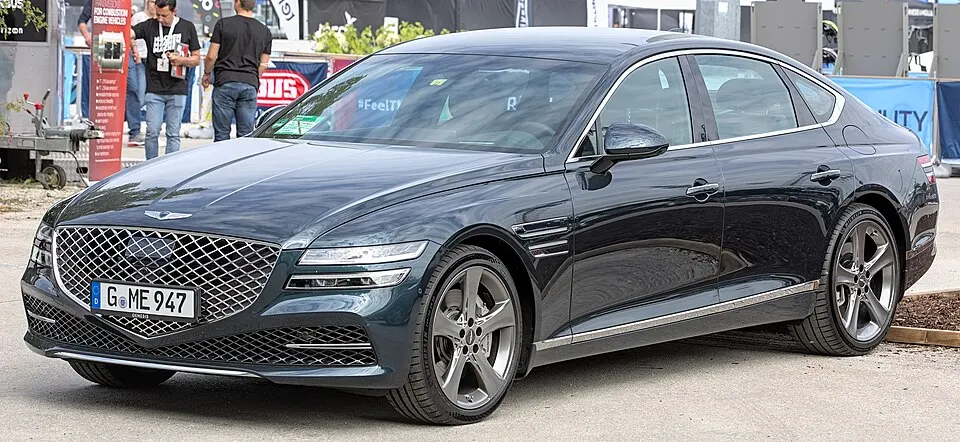
Genesis G80 shown as an example; service options depend on the model year and key system. Photo: Alexander Migl · CC BY-SA 4.0 · Resized and converted to WebP

Genesis models: current and discontinued
- Electrified G80
- Electrified GV70
- GV70
- G70
- GV60
- GV80
- G80
- G90
- GV80 Coupe
Genesis lockout entry considerations
If your Genesis fob is locked inside, let us know which area contains it and if you are using a secondary authorized key. For those relying on digital account features, verify whether that service was configured before the lockout occurred, as a locksmith cannot recover manufacturer account passwords. Describe your situation clearly so we can assess the best approach to safely regain access to your vehicle without compromising its electronic systems.
Replacement Genesis keys and programming
Genesis vehicles rely on highly specific proximity technology that requires careful handling. A similar-looking fob found online is not guaranteed to be compatible with your vehicle's security software. We determine the exact requirements for your model, including whether you need a new emergency blade or a full smart-key pairing. Our goal is to provide a comprehensive solution that restores your ability to enter and start the vehicle with full functionality.
Service planning for Genesis models
Please confirm your availability and clarify the scope of work when requesting a Genesis key, as the vehicle's security setup may occasionally require manufacturer-authorized paths. Keep all remaining physical fobs present and describe any modifications that might affect the process. We explain the testing procedure for your new key, ensuring you understand exactly which functions are covered and how they integrate with your vehicle's existing security and convenience features.
What to prepare
- Verify your digital account status.
- Keep all existing physical fobs.
- Confirm if you have a spare key.
Frequently asked questions
Can I use an online Genesis fob?
We must verify the compatibility of any external component with your vehicle's security system. Not all Genesis fobs are identical, even if they appear similar, and may require specific software matching.
Do you need my account password?
No. We never ask for your manufacturer account passwords or personal credentials. Our work focuses on physical entry and local electronic programming of your vehicle's specific key hardware.
Contact us
Monday–Saturday, 8am–10pm
Contact our team for service in Tomball; no separate local office is listed. Call to confirm availability and the proposed work.
Call (832) 843-9020 · Request service